
Explore the latest free tools from the MQL5 community. Here's a new indicator, expert advisor, or script for MetaTrader.
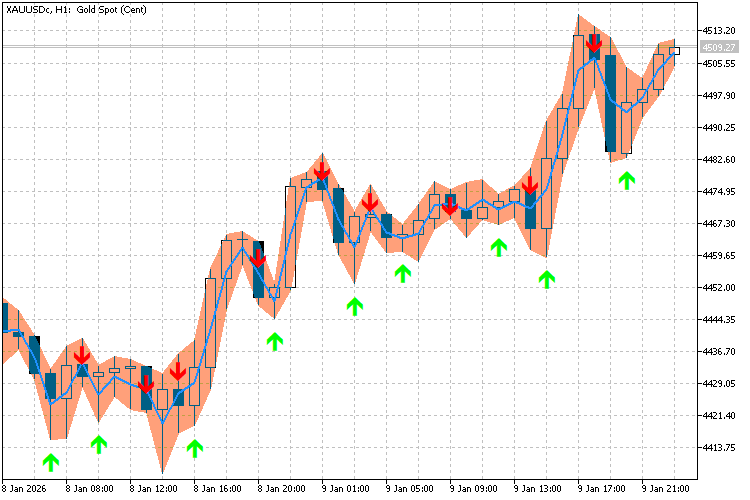
We’ve all been there (I think). You’re coding a complex indicator with 70+ buffers and 30+ plots. You decide to move a "Filling" background behind a "Candle" plot, and suddenly you have to manually re-number 50 lines of SetIndexBuffer calls.
It’s monotonous, error-prone, and a massive headache trying to calculate if "Plot 5" starts at "Buffer 12" or "Buffer 16" because of color buffers.
I wrote a wrapper class ("CPlotManager") to automate this hierarchy.
- No more manual counting.
- No more massive "#property" lists defining every color and width.
You just "Add" plots in the order you want them drawn. The class handles the math, the buffer binding, and the styling automatically.
How to use
1. In your main indicator, strip your `#property` section down to just the totals:
    #property indicator_plots   31
#property indicator_buffers 78
2. Include the file:
#include <helper_plots.mqh>
3. In OnInit(), you simply instantiate the manager and add your plots. If you want to change the Z-order (layering), just cut and paste the line higher or lower.
    int OnInit()
{
   CPlotManager pm;

   // 1. Add Candles (Automatically handles the 4 data buffers + 1 color buffer)
   int pi_candles = pm.AddColorCandles(BufO, BufH, BufL, BufC, BufColor, "Candles");

   // 2. Add Arrows (Automatically handles codes and shifts)
   pm.AddArrow(BufBuy, "Buy Signal", 233, 10, clrLime);

   // 3. Add Calculations (Hidden buffers)
   pm.AddCalc(BufCalc1);

   // 4. Check if your #property counts match your actual usage
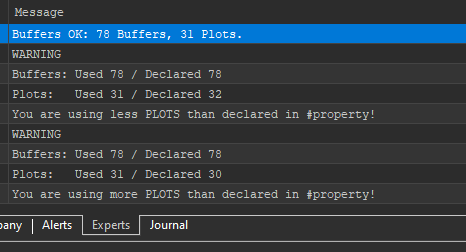
   pm.SanityCheck(78, 31);

   return(INIT_SUCCEEDED);
}
Watch in-depth trading tutorials and EA reviews on the RobotFX YouTube channel. Subscribe for free tips.
Complement community code with advanced automation from RobotFX.
68135


