
Fresh MQL5 code release – perfect for enhancing your MT4/MT5 strategies.
Which sessions are open right now, how long until the next one opens, and how much time is left on the current candle: Session Clock answers at a glance, on a 24-hour dial that turns with the day.
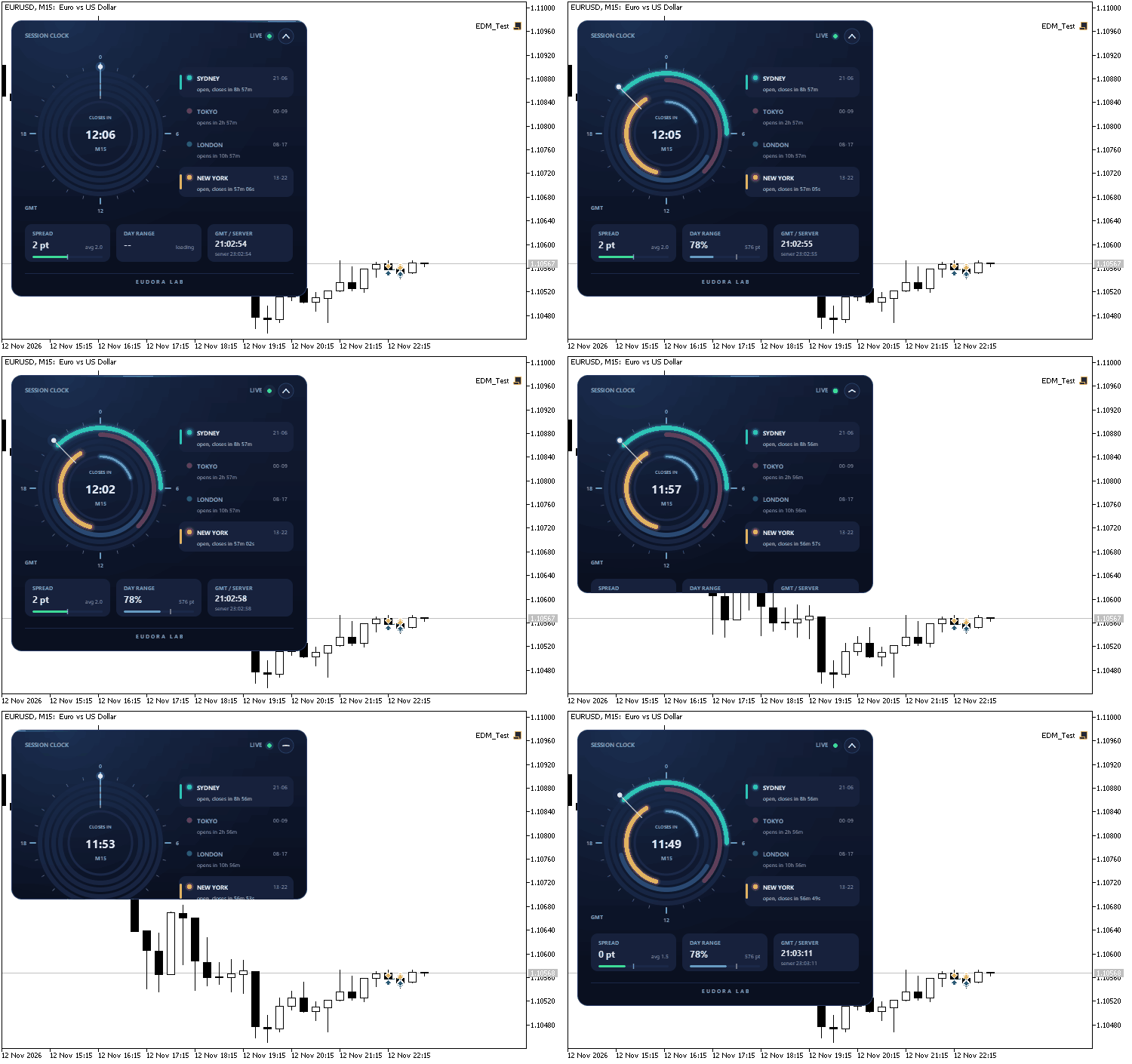
Session Clock on EURUSD M15: opening, live countdown, collapse and expand
Watch in-depth trading tutorials and EA reviews on the RobotFX YouTube channel. Subscribe for free tips.
The panel is drawn on a canvas with antialiased shapes and smooth transitions. The arcs of the sessions draw themselves in when the panel opens, the hand moves with the GMT clock and the open sessions light up. A button in the header folds the panel into a slim bar with the open sessions and the candle countdown, and the panel can be dragged anywhere on the chart by its header. The code is a single file and uses only the standard Canvas library.
What the panel shows
- Dial: 24 hours in GMT, midnight at the top, clockwise. One arc per session: Sydney, Tokyo, London and New York. An open session is bright with a soft glow, a closed one is dim. The hand marks the current time.
- Candle countdown: in the center, the time left before the current candle of the chart timeframe closes, with a ring that fills as the candle progresses. When the market is closed it shows the time to the next trading session of the symbol.
- Legend: one line per session with its hours and "open, closes in 2h 14m" or "opens in 5h 02m".
- Spread: the current spread in points against the average collected since the indicator was loaded.
- Day range: the high-low of today as a percentage of the average daily range of the last 14 trading days.
- GMT / Server: both clocks.
Daylight saving time
The session hours follow daylight saving time by themselves. London moves with the European rule, New York with the United States rule and Sydney with the Australian rule, each on its own dates, so the weeks of March, October and November in which the three are out of step are shown correctly. Tokyo never moves. The rules were checked hour by hour from 2024 to 2030 against the official time zone data.
Inputs
- Distance from the left edge / top edge: starting position of the panel, in pixels. After that the panel remembers where it was dragged, chart by chart.
- Panel size, percent: scales the whole panel; it also follows the DPI of the screen.
- Accent color: the color of the light on the panel.
- Start collapsed: opens the panel as a bar the first time.
- Sydney / Tokyo / London / New York opens at, hour GMT: the opening hours in northern winter (21, 0, 8, 13). Each session lasts nine hours.
- Adjust the sessions for daylight saving time automatically: on by default. Turn it off to use the hours exactly as entered.
Works on any symbol and timeframe. One copy per chart.
Complement community code with advanced automation from RobotFX.
79485


