
Fresh MQL5 code release – perfect for enhancing your MT4/MT5 strategies.
A small include file that looks after the positions an EA, a trader or another EA has already opened. It only moves stops and closes part or all of a position. It never opens a trade. 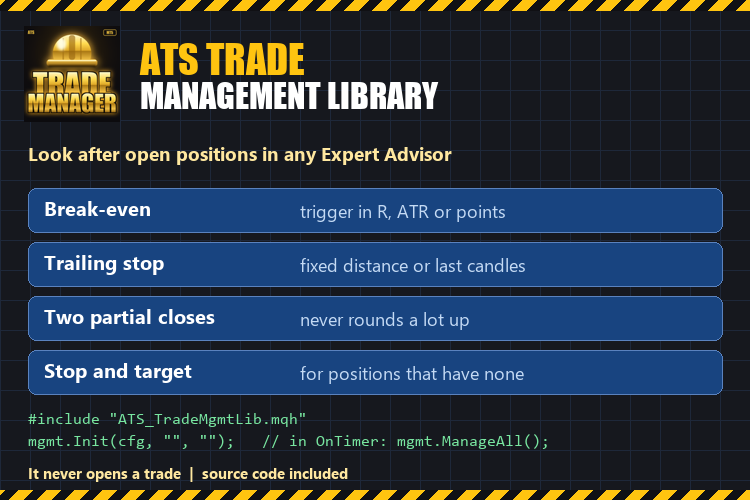
What it does
- Break-even: moves the stop to the entry (plus an offset) once the position is far enough in profit. The trigger is set in R (multiples of the initial stop), in ATR or in points.
- Trailing stop: a fixed distance behind the price, or behind the lowest low / highest high of the last N closed candles on the timeframe you choose. The stop only moves in your favour, in steps you set.
- Two partial closes: a share of the position at the first level, a share of the ORIGINAL position at the second, with an optional move to break-even after the first. The lot of a partial close is floored to the volume step and never leaves less than the minimum lot.
- A stop and a target for positions that have none (for example trades opened from a phone): a stop at ATR multiples or a number of points, a target at a number of R.
- Every symbol or one symbol, every magic number or a list (0 = trades opened by hand).
How it works
Reduce lag and improve accuracy with the NonLagMA Expert Advisor for MT4/MT5. Discover it.
- "R" is the distance between the entry and the stop the position had when the library first saw it. A position without a stop has no R: the rules set in R skip it, so use ATR or points (or the automatic stop) for those.
- What was already done on a position (break-even moved, partial closes made) is saved in GlobalVariables, so a restart of the terminal does not repeat it.
- Stops that are closer to the price than the broker's stop level are not sent; the library tries again on the next pass.
- The calculations are plain functions with no terminal data, so they can be tested with fixed numbers: the included self-test runs 36 checks.
Use
#include "ATS_TradeMgmtLib.mqh"
CAtsTradeMgmt mgmt;
SAtsMgmtConfig cfg;  mgmt.DefaultConfig(cfg);
cfg.useBreakEven = true;  cfg.beUnit = ATS_UNIT_R;  cfg.beTrigger = 1.0;
cfg.trailMode = ATS_TRAIL_CANDLES;  cfg.trailBars = 3;  cfg.trailStart = 1.5;
mgmt.Init(cfg, "", "");           // every symbol, every magic number
// in OnTimer(): mgmt.ManageAll();
The package: ATS_TradeMgmtLib.mqh (the library), ATS_TradeMgmt_Demo.mq5 (an example EA, a trade manager in a few lines), ATS_TradeMgmt_SelfTest.mq5 (36 checks of the calculations, run it as a script).
Good to know
- It does not give signals and promises no result. A stop can be filled at a worse price in a fast market, as with any stop.
- The terminal and the EA must be running when the price moves.
- Tested in the Strategy Tester (positions opened every day, break-even, both partial closes, trailing stop and the automatic stop and target all acted as expected) and on a demo account, on hedging accounts. It works on netting accounts too: partial closes act on the position.
Complement community code with advanced automation from RobotFX.
78081


