
Fresh MQL5 code release – perfect for enhancing your MT4/MT5 strategies.
Spread Monitor Panel is a lightweight on-chart panel that makes the real cost of trading visible: the live spread of the chart symbol, refreshed every second.
It shows the current spread in points (float-spread safe: computed from Ask-Bid, not the integer symbol property), plus the minimum, average and maximum since the indicator was attached, with the sample count and starting time. The current value is color-coded: green below your warning threshold, orange between warning and danger, red at or above danger.
Reduce lag and improve accuracy with the NonLagMA Expert Advisor for MT4/MT5. Discover it.
An optional alert fires when the spread holds at or above the danger threshold for N consecutive seconds - the classic news-release / rollover spike pattern - with a configurable cooldown so it does not spam you.
Inputs: warning and danger thresholds in points, alert on/off, sustained seconds, alert cooldown, panel corner, X/Y offsets and font size.
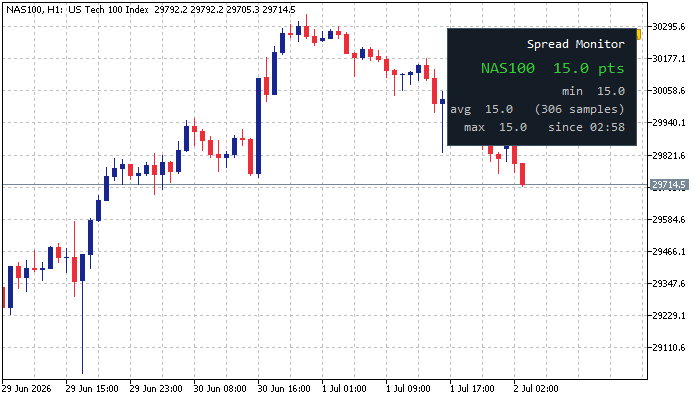
Typical uses: deciding whether conditions are tradeable before news, comparing broker spreads on a demo vs live, tuning the max-spread filter of an EA, and documenting spread behaviour of a symbol across sessions.
Monitoring only: it places no trades, has no buffers and no plots, and works on any symbol and timeframe.
Build better strategies with RobotFX professional tools – check them out.
74565


