
Fresh MQL5 code release – perfect for enhancing your MT4/MT5 strategies.
When I used the history quotes data from MetaTrader4 client terminal, I have found that some brokers doesn't have the full history.
The quality of the historical bar data is better, so I have decided to export the historical quotes from MetaTrader 5 and import them in MetaTrader 4.
This script will help you to get the full history for MetaTrader 4.
Watch in-depth trading tutorials and EA reviews on the RobotFX YouTube channel. Subscribe for free tips.
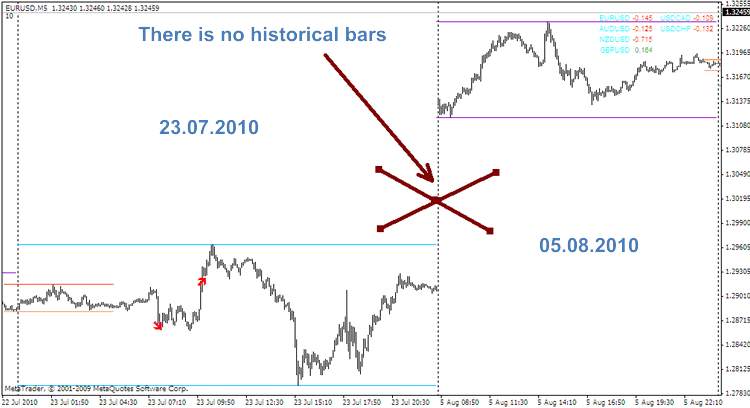
The script creates .CSV file with historical bar data.
The steps:
- 1 - Install MetaTrader 5 client terminal http://files.metaquo...t5/mt5setup.exe
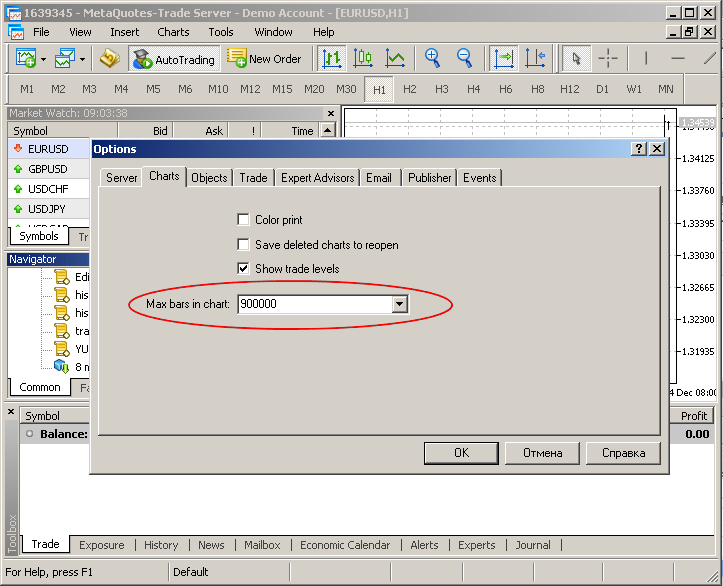
- 2 - Enter the Main Menu->Tools->Options->Max bars in chart, and set MaxBars in chart depending on the historical bars needed:
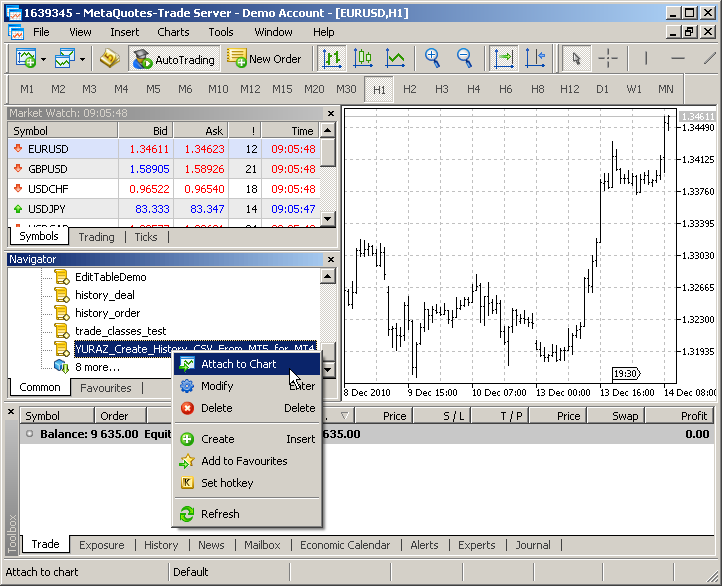
- 3 - Load this script and place it to MQL5\Scripts folder
in WINDOWS7/VISTA copy it to the Roaming folder instead of Program Files folder:
for example c:\Users\<administrator\AppData\Roaming\MetaQuotes\Terminal\D0E8209F77C8CF37AD8BF550E51FF075\MQL5\Scripts\
</administrator - 4 - Compile the script and attach it to the charts for each MetaTrader 4 timeframes: M1 M5 M15 M30 H1 H4 D1 W1
- 5 - Close MetaTrader 5;
- 6 - Open MetaTrader 4;
- 7 - Press F2;
- 8 - Choose currency pair;
- 9 - Select timeframe;
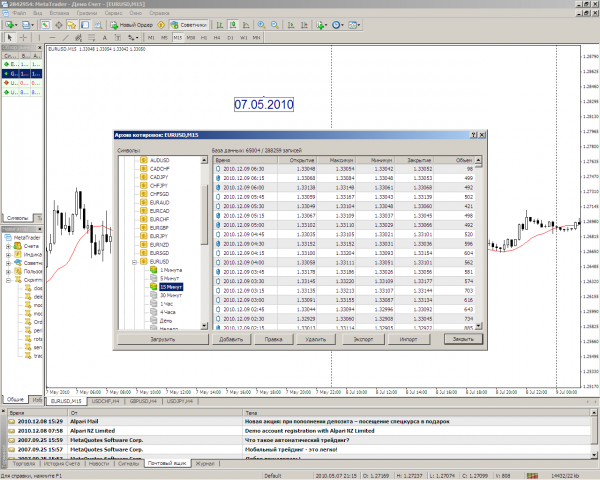
- 10 - Select the file, created for M15 timeframe;
- 11 - Press the "Import" button:
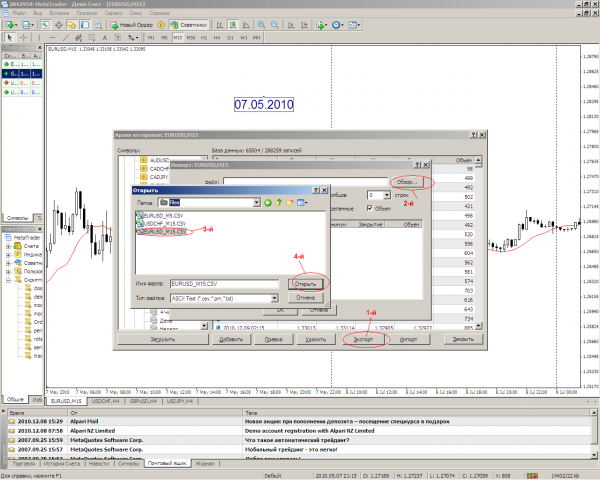
- 12 - Repeat the step №10 for each pair. Repeat Step №11 for each timeframe of the pair:
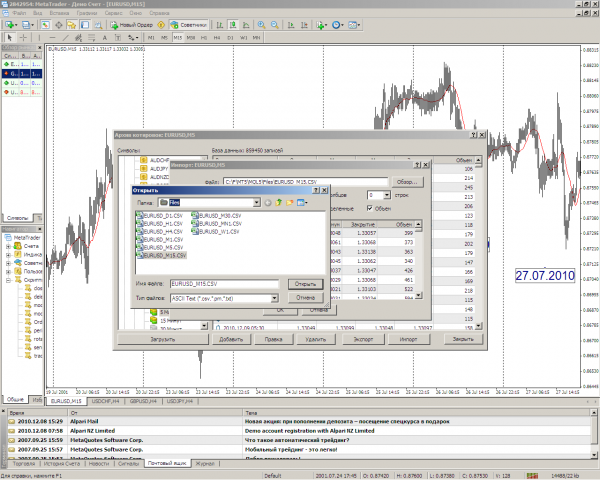
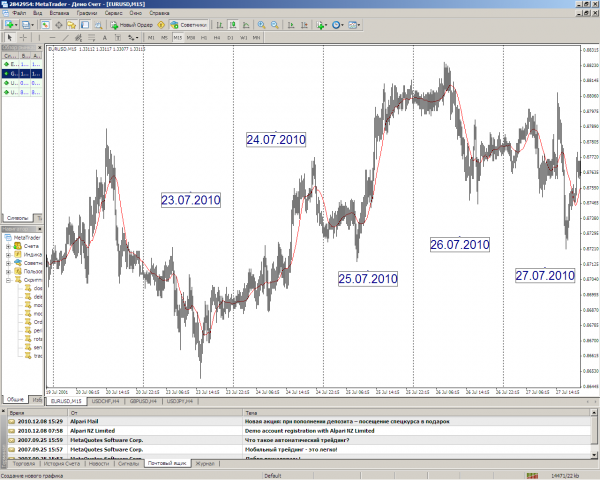
Before:
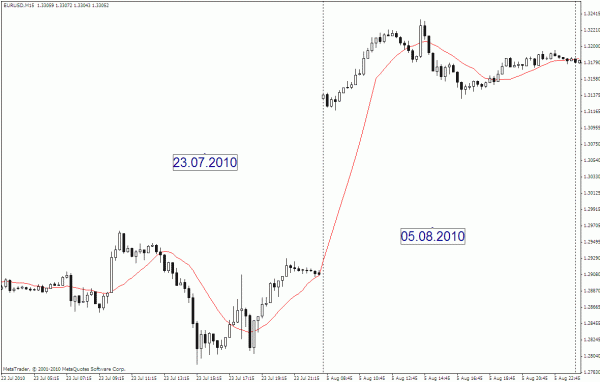
YURAZ
yzh@mail.ru
Level up your trading with professional RobotFX expert advisors and indicators. Visit www.robotfx.org for proven MT4/MT5 tools.
232


