
Fresh MQL5 code release – perfect for enhancing your MT4/MT5 strategies.
NeuroPro Verbalisation Converter for MQL5
This script is designed to automate the process of transferring neural networks from the analytical package NeuroPro (1997 release) to MetaTrader 4/5 trading terminals.
Problem to be solved
The classic article "Using NeuroPro Neural Networks in Trading" describes the process of "verbalising" the trained network into a text code, and it also points out that the NeuroPro output format is incompatible with the modern MQL5 syntax:
-
Syntax: lack of data type declarations ( double ), unnecessary closing brackets, lack of semicolons and specific recording of array indexes ( ___1__ ).
Experience adaptive trading with the Fluid Expert Advisor for MT4/MT5. Dynamic money management and trend detection. Click for info.
-
Arithmetic: erroneous interpretation of " --" sequence as a decrement operator.
-
Encoding: software of the 90's outputs text in ANSI (CP1251), which leads to loss of Cyrillic identifiers (turning them into "krakozabras").
This script converter fully automates 90% of the " dirty" work that used to take a lot of useful time due to manual edits to translate verbalisation into code.
Key features of the algorithm
-
Byte reading: the script reads the source file IN.txt directly through FILE_BIN , eliminating character distortion by the system clipboard.
-
Name invariant: the script does not impose its own names. If you name the input channels BAR , IN , OUT or whatever, the script will leave them unchanged, preserving your author's case.
-
Smart substitution: only key elements are transformed:
-
SigmoidX → SiX (the index of the activation function is preserved).
-
SyndromeX → double SyX (automatic declaration of intermediate neurons).
-
-
Syntax corrector: the script calculates the balance of brackets in each line, removes redundant characters in the tail of formulas and arranges " ;" .
Instructions for use
-
In NeuroPro, verbalise the network and save the result to a text file (e.g. IN.txt ).
-
Place the file in the terminal data folder: MQL5\Files\NeuroPro\.
-
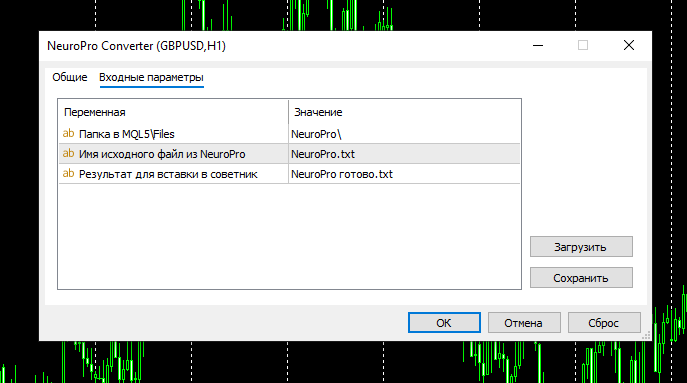
Run the script. In the input parameters window you can specify the path and file names.
-
The resulting file IN ready.txt contains clean MQL5 code ready to be inserted into the Expert Advisor.
Example of the script operation:
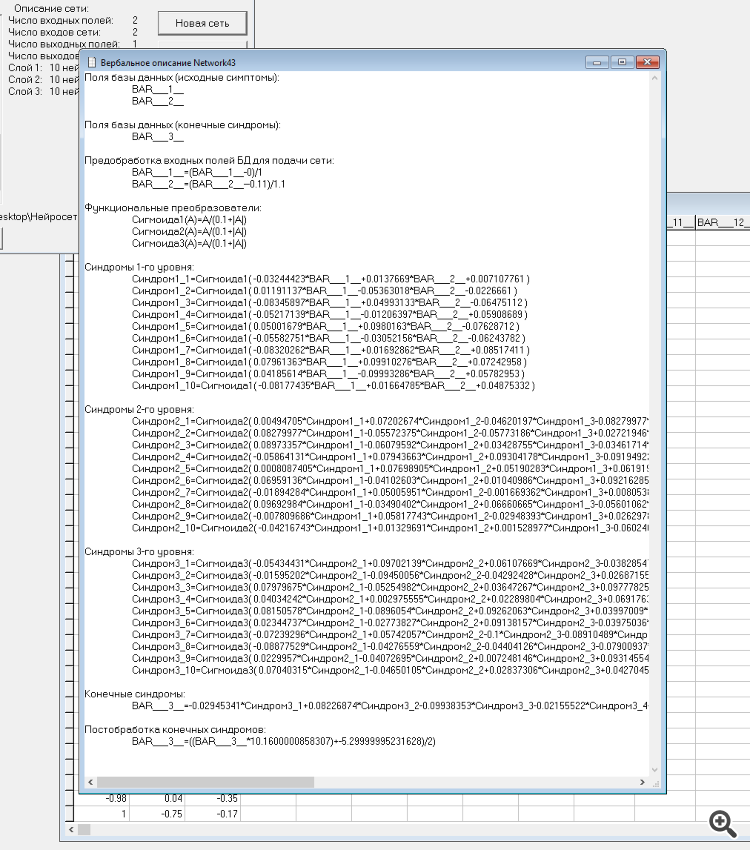
1) Screenshot of the NeuroPro program in the part of calling the verbalisation window
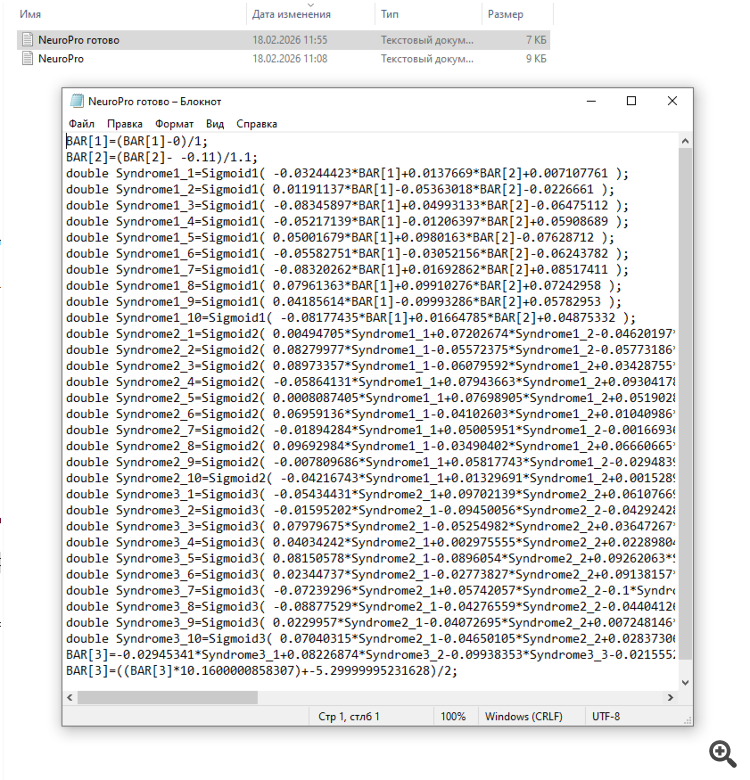
2) Screenshot of the open file - the result of running the script.
Technical details
The script uses character-by-character parsing (token analysis) of the right part of expressions, which guarantees preservation of all mathematical coefficients and Latin identifiers. Full Cyrillic support is implemented through forced decoding of 1251 page.
Level up your trading with professional RobotFX expert advisors and indicators. Visit www.robotfx.org for proven MT4/MT5 tools.
69583


