
RobotFX curates the best open-source MetaTrader code to inspire your trading automation.
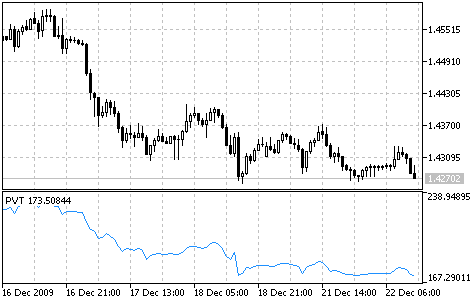
The calculation algorithm is close to that of the indicator OBV. But in OBV we add the whole daily volume to the current indicator value when close prices are higher, and detract the whole volume when close prices are lower, while in PVT we add or detract just a part of daily volume. The exact part of the volume to be added to PVT is determined by the value of price change relatively to the close price of the previous day.
In OBV, the cumulative total volumes for each period are summed. However, in PVT, the volume is multiplied by the coefficient that depends on the difference between the current close price and the previous one.
Reduce lag and improve accuracy with the NonLagMA Expert Advisor for MT4/MT5. Discover it.
Price and Volume Trend indicator
Calculation:
PVT calculates by multiplying the current volume to the relative price change with its further addition to the current cumulative PVT value.
PVT (i) = ((CLOSE (i) - CLOSE (i - 1)) / CLOSE (i - 1)) * VOLUME (i) + PVT (i - 1)
where:
- CLOSE (i) - close price of the current bar;
- CLOSE (i - n) - close price of the previous nth bar;
- VOLUME (i) - volume of the current bar;
- PVT (i) - the current value of PVT indicator;
- PVT (i - 1) - the value of PVT indicator of the previous bar.
Level up your trading with professional RobotFX expert advisors and indicators. Visit www.robotfx.org for proven MT4/MT5 tools.
45


