
Fresh MQL5 code release – perfect for enhancing your MT4/MT5 strategies.
A detailed description of version 2.0 is given in the article "AutoElliottWaveMaker - MetaTrader 5 Tool for Semi-Automatic Analysis of Elliott Waves".
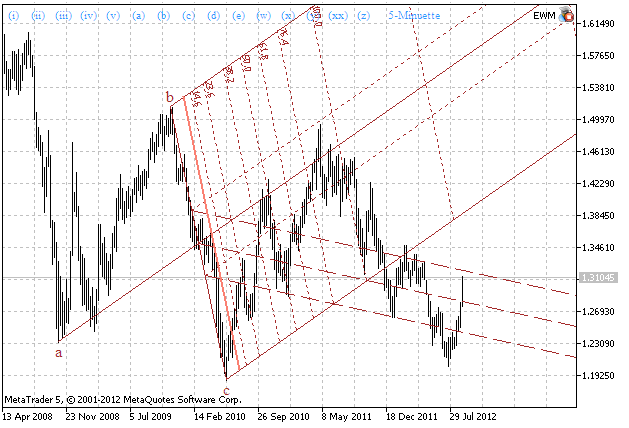
Version 3.0 has the ability to draw Andrew's Pitchforks. Drawing is performed on three selected wave labels. To start labeling process you have to press "Shift" button, after that select 3 wave labels. Wave drawing will be made after right clicking of the third label. After drawing Andrew's Pitchforks to deselect labels press "Shift" button and click on any wave label. Created waves can be deleted. To do this you should select wave labels on which they have been drawn and left click on the third label. The removal of waves also happens when any label on which they are drawn is removed.
You can display additional tools of Andrew's Pitchforks. To do this you should select the third label and then press the corresponding button on the keyboard:
Smooth out market noise with the Heiken Ashi Expert Advisor for MT4 and MT5. Reliable trend-following automation. Details here.
In version 3.0 also the following new functions added:
- D - show/hide the upper warning lines.
- F - show/hide the lower warning lines.
- U - show/hide Schiff lines.
- show/hide horizontal, vertical and price label of a selected label (T, B and G keys, respectively);
- show/hide all horizontal, vertical and price labels (Y, N and H keys, respectively);
- display of a vertical on a zero bar (M key);
- copy chart with label (J key).
Fig. 1. Andrew's Pitchforks drawn using ElliottWaveMaker 3.0
Level up your trading with professional RobotFX expert advisors and indicators. Visit www.robotfx.org for proven MT4/MT5 tools.
1089


