
Discover expert developed MetaTrader tools that can complement professional solutions.
This tool is an indicator-calculator.
It does not trade by itself — it instantly calculates a safe position size (lot) for your trade.
1. How It Works
The indicator takes your account balance (or equity) and your chosen Stop Loss distance, then calculates the exact lot size required so that if the Stop Loss is hit, you lose exactly the specified percentage of your capital.
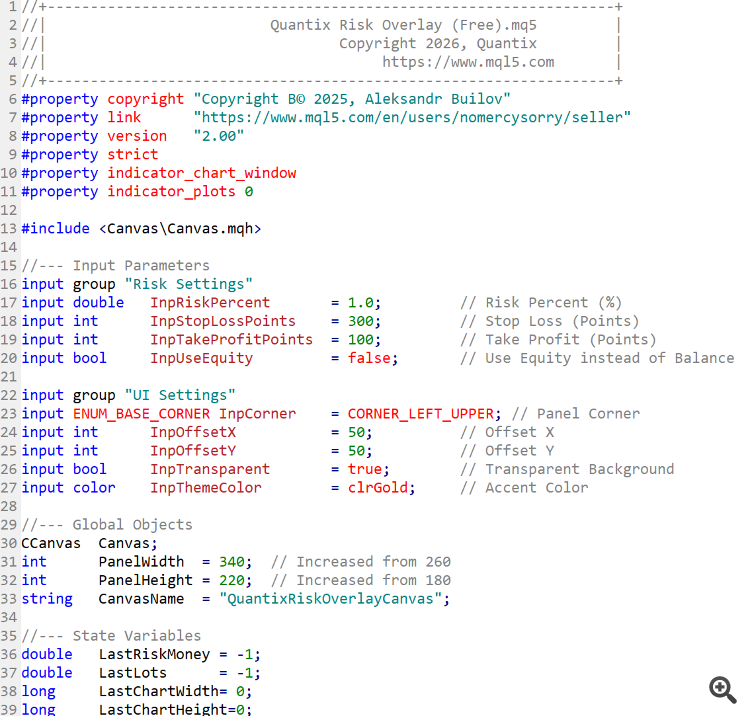
2. Settings (Inputs)
Risk Percent (%)
The percentage of your account you are willing to risk per trade (e.g. 1.0% ).
Stop Loss (Points)
The distance to the Stop Loss in points (pips).
⚠️ Important: The lot size is calculated strictly from this value.
If your planned Stop Loss is 300 points, enter 300 .
Take Profit (Points)
Used for display only on the panel.
It does not affect the lot calculation.
Use Equity
-
true — risk is calculated from Equity (including floating profit/loss)
-
false — risk is calculated from Balance
3. How to Read the Panel
Capital at Risk
The monetary amount you are risking (e.g. $100.00 ).
SUGGESTED LOT SIZE (Main Value)
This is the exact lot size you should enter when placing the order.
Tip:
If you resize the terminal window, the panel will automatically snap to the selected corner. Everything adjusts dynamically — no manual setup required.
Smooth out market noise with the Heiken Ashi Expert Advisor for MT4 and MT5. Reliable trend-following automation. Details here.
Build better strategies with RobotFX professional tools – check them out.
68009


